
When you run marketing campaigns online, one question always comes up: where are your visitors actually coming from? Maybe you’re sharing links on social media, sending email newsletters, running ads, or collaborating with partners. Traffic starts coming in, but without proper tracking, it can be hard to tell which efforts are really working.
That’s where UTM links become incredibly useful.
A UTM link is just a regular URL with a few extra pieces of information added to it. These small tags, called UTM parameters, help tools like Google Analytics understand exactly how someone arrived on your website. For example, you can track whether a visitor clicked a link from your email campaign, a LinkedIn post, or a paid ad.
Once you start using UTM parameters, your marketing data becomes much clearer. In this guide, we’ll break down what UTM links are, how they work, how to create them, and how to track them properly.
What Is a UTM Link?
A UTM link is simply a regular URL with extra tracking information added to the end of it. These small pieces of information are called UTM parameters, and they help analytics tools understand where your website traffic is coming from.
For example, imagine you share the same blog post on Facebook, LinkedIn, and in your email newsletter. Without tracking, all the traffic might just appear as general website visitors. But with UTM links, you can clearly see which platform actually brought people to your site.
A typical UTM link might look something like this:
https://example.com/blog?utm_source=facebook&utm_medium=social&utm_campaign=spring_saleIn this link, the parameters tell analytics tools that the visitor came from Facebook, through a social media post, and as part of a specific campaign.
This extra information doesn’t change how the page works for visitors. Instead, it gives marketers valuable insights into which marketing efforts are driving traffic, engagement, and conversions.
What Does UTM Stand For?
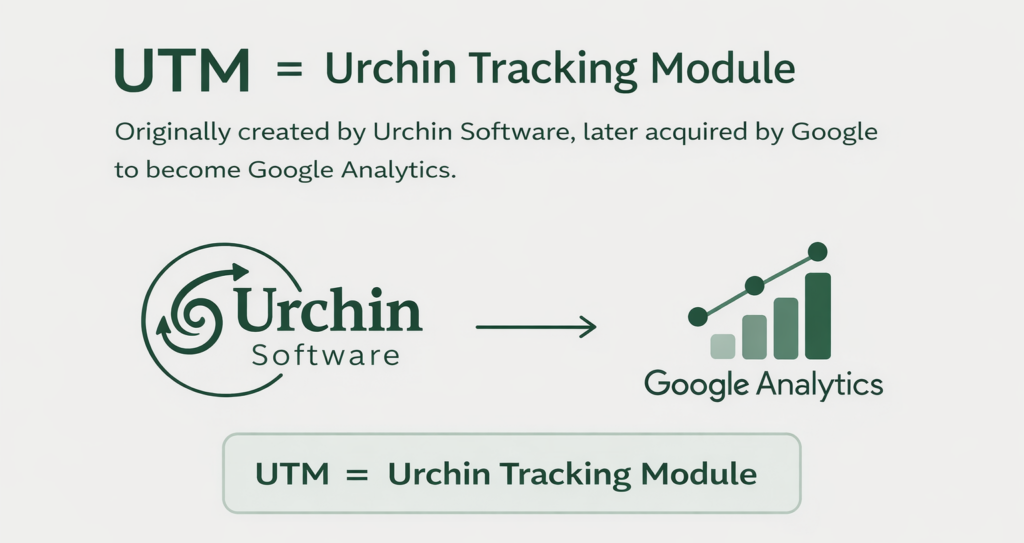
UTM stands for Urchin Tracking Module.
The name comes from Urchin Software Corporation, a web analytics company that Google acquired in 2005. After the acquisition, Google used Urchin’s technology to build what later became Google Analytics.
The tracking system created by Urchin allowed marketers to add small pieces of information to URLs. These pieces of information, now called UTM parameters, help analytics tools understand exactly how visitors arrive at a website.
For example, when someone clicks a link in an email newsletter or a social media post, UTM parameters can tell analytics platforms:
- which website or platform sent the visitor
- which marketing channel they came from
- which campaign or promotion drove the click
Even though the term Urchin Tracking Module is rarely used in everyday marketing today, the UTM tracking system is still widely used in tools like Google Analytics, marketing dashboards, and campaign reporting platforms.
The 5 Main UTM Parameters Explained
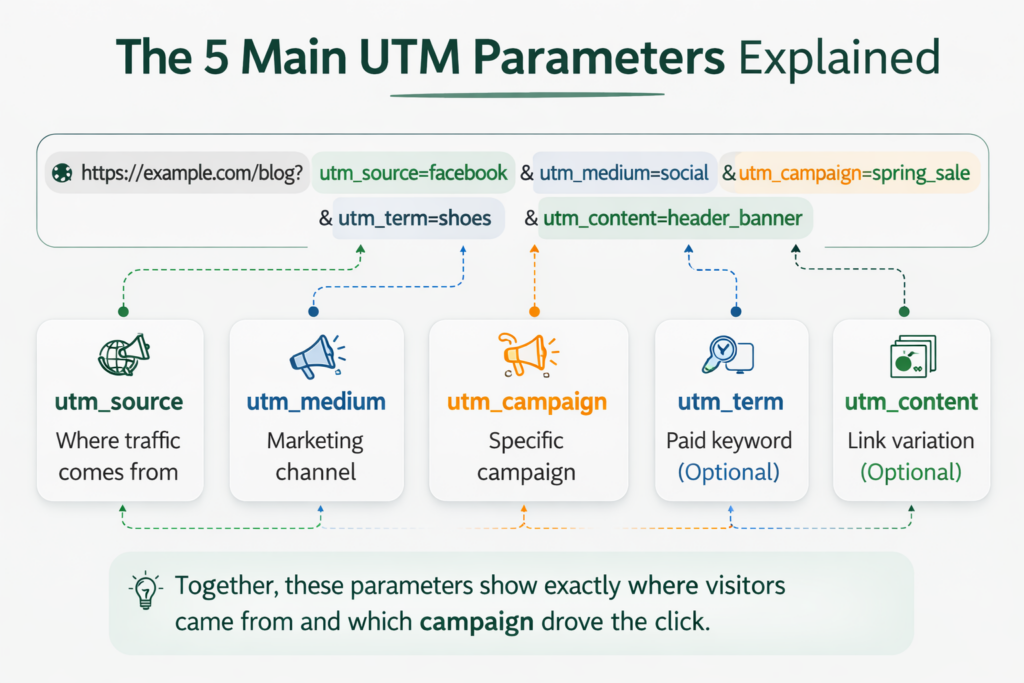
UTM parameters are small tags added to the end of a URL to help track where your traffic comes from. When someone clicks a tagged link, analytics tools like Google Analytics read these parameters and record the campaign details.
There are five main UTM parameters used in marketing tracking.
1. utm_source: Identifies the Traffic Source
The source parameter tells you exactly where the visitor came from. It identifies the specific platform, website, or service that sent the traffic.
Examples:
utm_source=google
utm_source=facebook
utm_source=newsletter
utm_source=linkedin
For example, if someone clicks a link in a Facebook post, the source parameter helps analytics tools record Facebook as the traffic source.
2. utm_medium: Identifies the Marketing Channel
The medium parameter explains how the traffic arrived. In other words, it shows the marketing channel used to deliver the link.
Examples:
utm_medium=email
utm_medium=social
utm_medium=cpc
utm_medium=referral
For instance, if a link is shared in an email campaign, the medium would be email.
3. utm_campaign: Identifies the Specific Campaign
The campaign parameter tracks the specific marketing campaign or promotion associated with the link.
This helps you measure the performance of individual campaigns.
Examples:
utm_campaign=summer_sale
utm_campaign=black_friday
utm_campaign=product_launch
Using campaign parameters makes it easy to compare the performance of different marketing efforts.
4. utm_term: Tracks Paid Keywords (Optional)
The term parameter is mostly used in paid advertising campaigns to track the specific keyword that triggered the ad.
Examples:
utm_term=digital_marketing_course
utm_term=running_shoes
While not required, this parameter is useful when managing search ads or large advertising campaigns.
5. utm_content: Differentiates Similar Links (Optional)
The content parameter helps distinguish between multiple links that point to the same URL.
Marketers often use it for A/B testing or tracking different placements of the same link.
Examples:
utm_content=header_banner
utm_content=sidebar_button
utm_content=text_link
This allows you to see which specific link placement drives the most clicks.
Example of a Complete UTM Link
Here’s how a full UTM link might look when all parameters are used:
https://example.com/bltm_source=facebook&utm_medium=social&utm_campaign=spring_sale&utm_content=header_bannerWhen someone clicks this link, analytics tools can clearly identify:
- The traffic source (Facebook)
- The marketing channel (Social media)
- The campaign (Spring sale)
- The specific link placement (Header banner)
Why UTM Links Are Important for Marketing
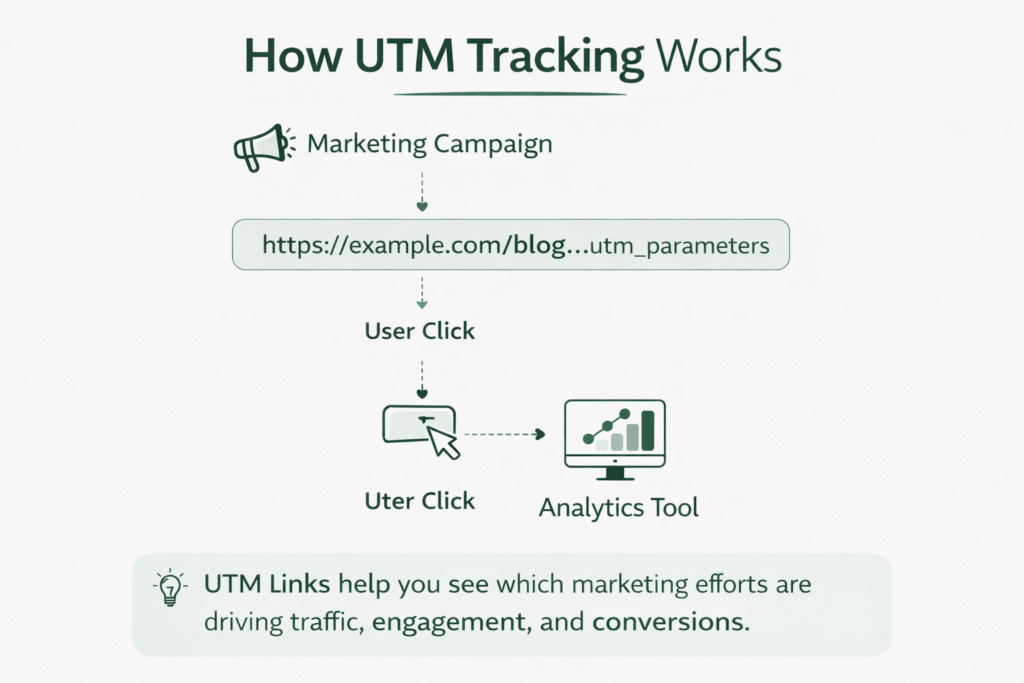
UTM links help marketers understand exactly where their website traffic comes from. Without them, it can be difficult to know which marketing activities are actually driving results.
For example, if you promote the same page through email, social media, and paid ads, regular links won’t show which channel generated the most visitors. But with UTM parameters added to the URL, analytics tools can clearly track the source of each click.
This makes UTM links extremely useful for measuring campaign performance and making better marketing decisions.
Here are a few key benefits of using UTM links:
Track Traffic Sources Clearly
UTM parameters show whether visitors came from platforms like Google, Facebook, LinkedIn, or an email newsletter.
Measure Campaign Performance
You can easily compare different campaigns to see which one drives more clicks, engagement, or conversions.
Improve Marketing ROI
By identifying which channels perform best, businesses can invest more in the strategies that actually generate results.
Get Better Insights in Analytics Tools
UTM links work with platforms like Google Analytics, HubSpot, and other marketing tools to provide detailed campaign reports.
How to Build a UTM Link
Creating a UTM link is simple. You just add UTM parameters to the end of a URL so analytics tools can track where the traffic comes from.
There are two common ways to create UTM links.
1. Create a UTM Link Manually
You can manually add parameters to the end of any URL.
The structure looks like this:
https://yourwebsite.com/page?utm_source=platform&utm_medium=channel&utm_campaign=campaign_nameExample:
https://example.com/blog?utm_source=facebook&utm_medium=social&utm_campaign=spring_sale
In this example:
- utm_source tells where the traffic comes from (Facebook)
- utm_medium shows the marketing channel (social)
- utm_campaign identifies the campaign (spring_sale)
This method works well when you only need to create a few tracking links.
2. Use a UTM Builder Tool
If you want to create UTM links quickly and without mistakes, you can use a UTM link builder tool.
These tools automatically generate the tracking URL after you enter your campaign details.
With the tools, you simply:
- Enter your website URL
- Add campaign details (source, medium, campaign name)
- The tool generates the full UTM link instantly
This method is faster and helps keep your campaign tracking organized and consistent.
Real Examples of UTM Links
UTM links are commonly used in marketing campaigns to track where website visitors come from. Below are a few simple examples showing how different UTM parameters help identify traffic sources and campaigns.
| Use Case | Example UTM Link | What It Tracks |
| Email Newsletter | https://example.com/blog?utm_source=newsletter&utm_medium=email&utm_campaign=weekly_update | Tracks visitors coming from a weekly email newsletter campaign. |
| Facebook Post | https://example.com/blog?utm_source=facebook&utm_medium=social&utm_campaign=spring_sale | Tracks traffic generated from a Facebook social media promotion. |
| Google Ads Campaign | https://example.com/blog?utm_source=google&utm_medium=cpc&utm_campaign=product_launch&utm_term=marketing_tool | Tracks paid ad traffic and the keyword used in the campaign. |
| LinkedIn Promotion | https://example.com/blog?utm_source=linkedin&utm_medium=social&utm_campaign=b2b_outreach | Tracks visitors arriving from LinkedIn marketing posts. |
| Website Banner Link | https://example.com/blog?utm_source=website&utm_medium=banner&utm_campaign=homepage_promo&utm_content=top_banner | Tracks clicks from a specific banner placement on a website. |
These examples show how UTM parameters help marketers identify traffic sources, measure campaign performance, and understand which marketing channels drive the most engagement.
UTM Links vs Regular Links
At first glance, a UTM link and a regular link may look the same. Both take users to the same webpage. The difference is that UTM links include tracking parameters, which allow marketers to see where traffic is coming from and which campaigns are performing best.
Here’s a simple comparison:
| Feature | Regular Link | UTM Link |
| Basic Purpose | Directs users to a webpage | Directs users to a webpage with tracking information |
| URL Structure | Clean URL without tracking tags | URL includes UTM parameters at the end |
| Traffic Source Tracking | Not possible | Tracks exact traffic source |
| Campaign Tracking | Cannot track campaigns | Tracks marketing campaigns |
| Analytics Insights | Limited data | Detailed campaign and traffic data |
| Marketing Use | General sharing of links | Marketing campaigns, ads, emails, social media |
Example:
Regular link: https://example.com/blog
UTM link:
https://example.com/blog?utm_source=facebook&utm_medium=social&utm_campaign=spring_sale In short, regular links simply take users to a page, while UTM links help marketers understand how visitors found that page.
Advanced UTM Tracking Tips
Once you understand the basics of UTM links, you can use them more strategically to get better insights from your marketing campaigns. Here are a few simple tips to improve your UTM tracking.
1. Use Consistent Naming
Always keep your parameter names consistent. For example, use facebook instead of mixing variations like Facebook, fb, or FB. This keeps your analytics reports clean and easy to analyze.
2. Use Lowercase Letters
UTM parameters are case-sensitive. Using lowercase naming helps avoid duplicate entries in analytics tools.
3. Track Different Link Placements
If you place multiple links on the same page or email, use the utm_content parameter to see which link gets the most clicks.
Example:
utm_content=header_button
utm_content=footer_link
4. Keep a UTM Tracking Spreadsheet
Maintain a simple document or spreadsheet to record your campaigns. This helps teams stay organized and prevents duplicate campaign names.
These small practices make your UTM tracking more accurate, organized, and useful for analyzing marketing performance.
Conclusion
UTM links help you track where your website traffic comes from and measure how well your marketing campaigns perform. By adding simple parameters to your URLs, you can see which channels, platforms, and campaigns drive the most results.
Whether you create them manually or with a UTM builder tool, using UTM links regularly makes your analytics data clearer and helps you make better marketing decisions.
Frequently Asked Questions
1. What is a UTM link used for?
A UTM link is used to track the source of website traffic. It helps marketers understand which campaigns, platforms, or channels are bringing visitors to their website.
2. Do UTM parameters affect SEO?
No, UTM parameters do not affect search rankings. They are only used for tracking purposes in analytics tools and do not change how search engines index your page.
3. Can I use UTM links on social media?
Yes. UTM links are commonly used on social media platforms like Facebook, LinkedIn, Twitter, and Instagram to track which posts or campaigns drive the most traffic.
4. Are UTM parameters visible to users?
Yes. UTM parameters appear in the URL, but they do not affect the webpage content or user experience.
5. How do I track UTM links in Google Analytics?
In Google Analytics, you can view UTM campaign data in the Acquisition or Traffic reports, where the parameters show the source, medium, and campaign performance.