
Alternating Case Converter
Use our free alternating case converter to instantly switch letters between uppercase and lowercase. Paste your text, click once, and get clean alternating caps output ready to copy anywhere, no sign-up, no install, no waiting.
This tool works as an alternating caps generator, a caps lock generator, and a quick uppercase generator all in one place. It handles everything from single words to full paragraphs in real time, right in your browser.
Input Text
What Is an Alternating Case?
Alternating case is a text style where uppercase and lowercase letters switch in a repeating pattern. Every other letter flips, creating a distinctive zigzag effect that stands out from standard text.
It goes by several names. You may see it called studly caps, sticky caps, mock caps, or spongebob case. Each name refers to the same basic pattern, though some tools apply the sequence slightly differently (for example, starting with uppercase versus lowercase).
The format picked up mainstream popularity in 2017 through the “Mocking SpongeBob” meme, where a photo of SpongeBob imitating someone was paired with alternating-cap text to signal sarcasm or ridicule. That meme spread across Reddit, Twitter, and Instagram and made alternating caps one of the most recognized text styles online.
Here is how the transformation looks in practice:
Standard Text | Alternating Case Output |
lorem ipsum is simply dummy text | LoReM IpSuM Is SiMpLy DuMmY TeXt |
hello world | HeLlO WoRlD |
alternating case example | AlTeRnAtInG CaSe ExAmPlE |
social media caption | SoCiAl MeDiA CaPtIoN |
gaming username | GaMiNg UsErNaMe |
internet meme reply | InTeRnEt MeMe RePlY |
The pattern works by treating each character position in sequence. Position 1 gets uppercase, position 2 gets lowercase, position 3 gets uppercase, and so on. Spaces and punctuation are skipped, so the alternation continues cleanly across full words and sentences.
This is different from mixed case, which has no fixed pattern, or title case, which capitalizes the first letter of each word. Alternating case follows a strict, predictable sequence every time.
If you want straight uppercase or plain lowercase text instead, those converters are available as separate tools.
How to Use This Tool
Using the alternating case generator takes less than 30 seconds. There are no settings to configure and nothing to install.
1. Enter or Paste Your Text
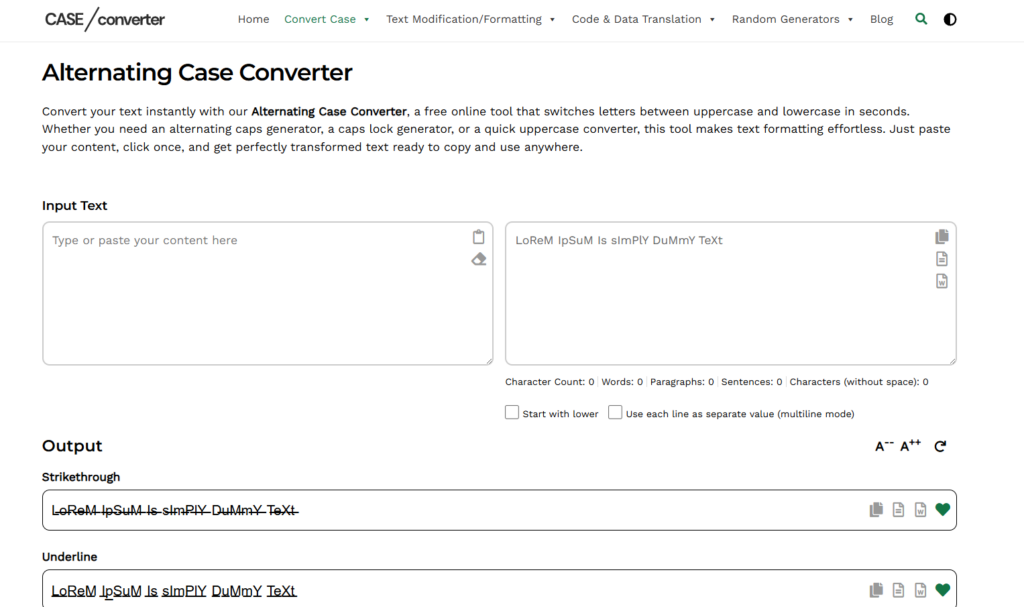
Type directly into the input field or paste any content into the text box. The tool supports multi-line input and instantly shows your character count, word count, sentence count, and paragraph count as you type.
2. Choose Your Starting Case
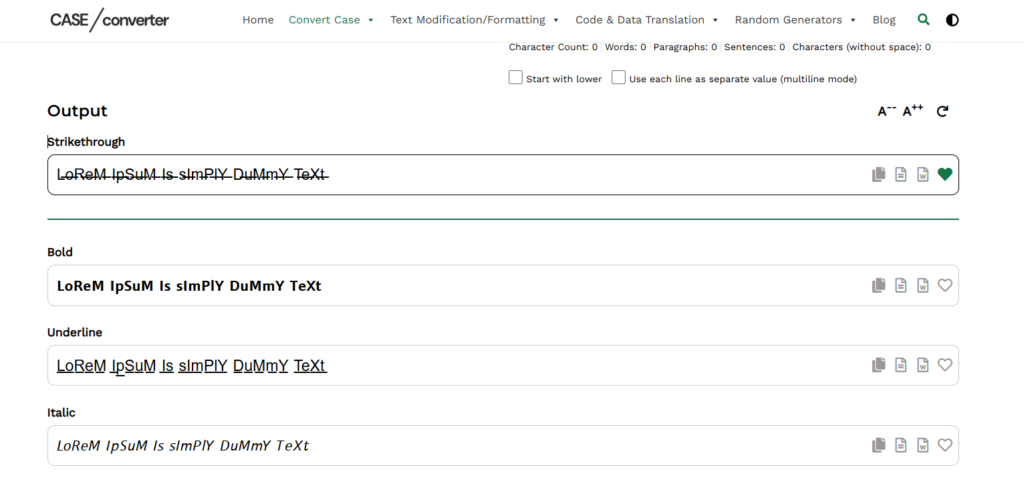
Select whether the first letter starts as uppercase or lowercase. This gives you control over the exact output style you need, whether that is a standard alternating pattern or one that fits a specific format.
3. Enable Multiline Mode (Optional)
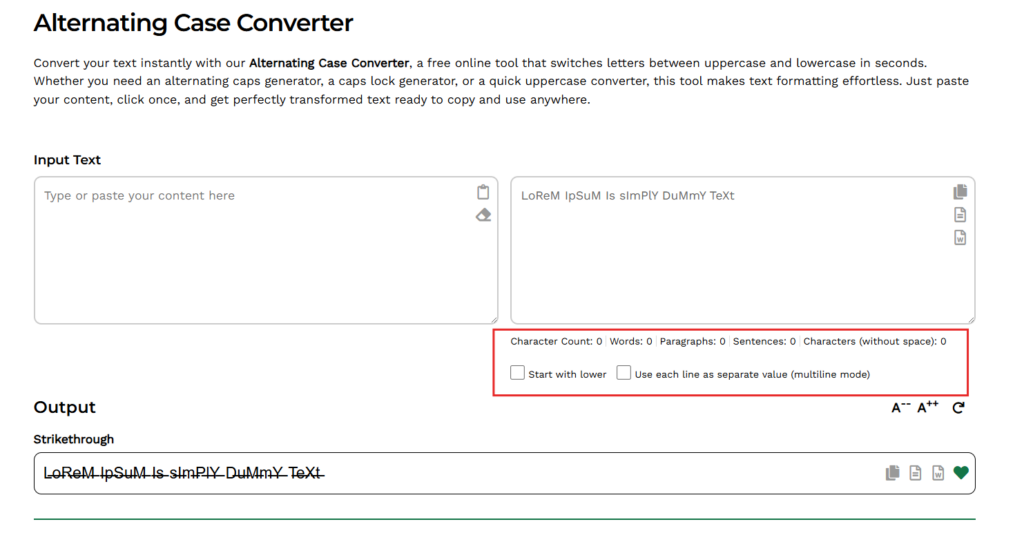
Turn on multiline mode if you want each line treated as a separate block. This is useful for captions, lists, song lyrics, or any content where each line should restart the alternating pattern from the beginning.
4. Copy or Export Your Result
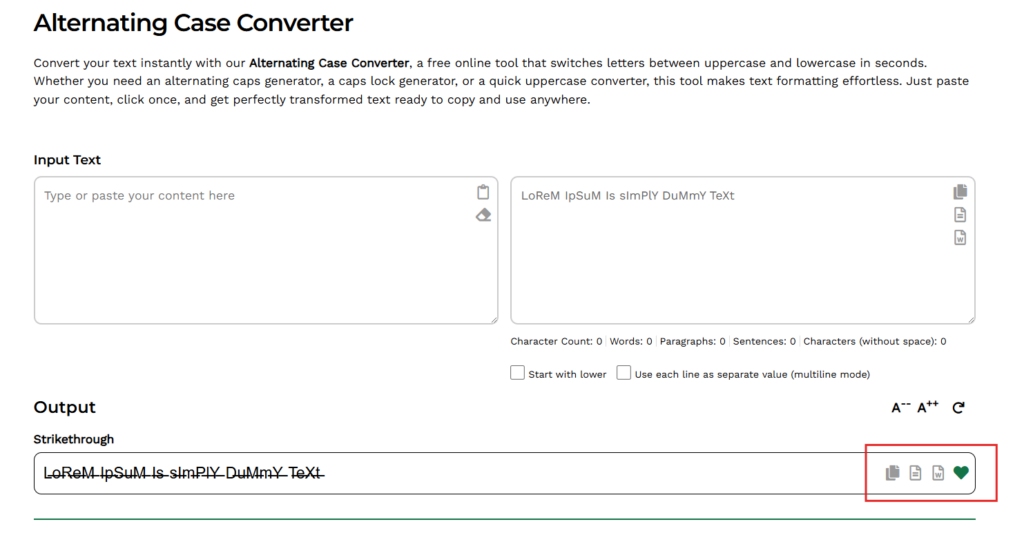
The converted text appears in the output field the moment you stop typing. Hit the copy button to send it straight to your clipboard, or export the result in your preferred file format.
Everything runs locally in your browser. Your text is never uploaded, stored, or shared.
Key Features of This Tool
This alternating case generator is built for speed, accuracy, and control. Here is what it does beyond simple letter switching.
Instant Letter Alternation
The tool processes your text in real time. The moment you type or paste content, it switches each character between uppercase and lowercase automatically. There is no button to click and no delay to wait through.
Start-With Control
You choose how the sequence begins. Start with an uppercase letter for the classic alternating caps look, or flip it to start lowercase for a different style. This small control makes a big difference when you need a specific output format.
Multiline Processing
Turn on multiline mode and each line gets treated as its own block. The alternating pattern restarts from position one on every new line. This is especially useful for captions, lists, dialogue, and structured content where each line needs a clean, independent result.
Real-Time Text Metrics
As you type, the tool tracks your character count, word count, sentence count, paragraph count, and character count without spaces. These metrics update live, so you always know exactly how long your content is without switching to a separate tool.
One-Click Copy & Export
Once the alternating text generator produces your output, copy it to your clipboard with one click. You can also export the result directly to a file. No extra steps, no reformatting needed.
Fully Browser-Based
The entire process runs inside your browser. There is nothing to download, no account to create, and no content sent to a server. Your text stays on your device from start to finish.
Why People Use Alternating Case
Alternating caps started as a meme format and grew into a widely used text style across social media, gaming, and creative content. Here is where and why people use it today.
Memes and Sarcasm
The “Mocking SpongeBob” meme, which went viral in 2017, made alternating caps the go-to format for expressing sarcasm or mockery online. The pattern signals that you are imitating someone in a dismissive or exaggerated tone. You will still see this format used daily on Reddit, Twitter/X, and Instagram comment sections for exactly that purpose.
Social Media Captions and Bios
Alternating caps text breaks the visual pattern of a normal feed. Social media managers and content creators use it to stop the scroll on platforms like Instagram and TikTok. A caption in alternating case reads differently from the text around it, which can drive more attention to a post, username, or bio.
Gaming Usernames
Many gamers use alternating caps to style their usernames in a way that looks distinct without using special characters. An alternating caps generator makes it quick to try different variations before settling on one that fits.
Discord and Chat Formatting
On Discord and similar platforms, text formatting options are limited. Alternating case is a popular workaround for adding visual personality to messages, server names, and bot responses without needing markdown or custom fonts.
Creative and Branding Projects
Designers and branding teams sometimes test alternating case in headlines, mockups, and concept work to create a bold, unconventional look. Because the pattern is immediately recognizable, it can work well for projects targeting a younger or internet-native audience.
Who Can Use Our Tool?
This tool works for anyone who needs styled text fast, without doing it by hand.
Social media managers use it to make captions and bios stand out on Instagram and TikTok. Content creators and meme makers use it to signal sarcasm or mockery in posts across Reddit, Twitter/X, and Discord. Gamers use it to style usernames quickly before committing to one. Designers and branding teams reach for it when testing bold, unconventional headlines in mockups and concept work.
It works just as well for casual use too. If you want alternating caps for a text message or a group chat, it handles a single word just as fast as a full paragraph.
FAQs
What is alternating case?
Alternating case is a text format where uppercase and lowercase letters switch in a fixed sequence. Every other character flips, so a word like “hello” becomes “HeLlO.” It follows a strict, predictable pattern from the first character to the last.
What is the difference between alternating case and toggle case?
Alternating case follows a strict character-by-character sequence from start to finish. Toggle case, on the other hand, flips the existing case of each letter. So if a letter is already uppercase, toggle case makes it lowercase, and vice versa. They can produce similar results but work differently depending on the input text.
What is the difference between alternating caps and mixed case?
Alternating caps follow a consistent uppercase and lowercase pattern across every character. Mixed case combines uppercase and lowercase letters without any fixed sequence. Alternating formatting is structured and predictable. Mixed case is often random or applied for stylistic reasons without a rule.
What does alternating caps mean in meme culture?
In meme culture, alternating caps text signals sarcasm or mockery. It became widely recognized through the “Mocking SpongeBob” meme in 2017, where the format was used to imitate someone in a dismissive or exaggerated tone. Today it is a standard shorthand for sarcastic commentary across Reddit, Twitter/X, Instagram, and Discord.
How do I capitalize every other letter online?
Paste your text into the input field of this alternating case generator and the tool capitalizes every other letter automatically. You can also choose whether the sequence starts with an uppercase or lowercase letter depending on the output you need.
Can I use this as a caps lock generator?
Yes. If you need fully capitalized text, this tool works as a quick caps lock generator alongside its alternating case function. You can switch between formatting styles without leaving the page.
Is this tool free to use?
Yes. The tool runs entirely in your browser and does not require registration, a download, or payment. All formatting happens instantly without storing your content on any server.
Does it work on mobile devices?
Yes. The interface works across desktop, tablet, and mobile. You can format text on any screen size without needing a separate app.
Is there a character limit?
There is no strict character limit for standard use. Very large text blocks may depend on your browser and device memory, but for typical social media posts, captions, and usernames the tool handles input without any issues.