
Regex Tester
Our regex tester makes it easy to test and debug regular expressions using a simple online regex tester interface. Just enter your regex pattern, add your test text, and instantly see matches, positions, and results. You can adjust flags, test replacements, and fine-tune your pattern in real time. Whether you’re validating data or checking matches, our tool works as a reliable regex pattern tester.
Click the context tab to see replacements.
Regex Test Results
Replacement Result:
Regular expressions can be powerful, but they’re not always easy to get right. A small mistake in your pattern can change everything. That’s why our regex tester is built to help you test, adjust, and understand your pattern step by step.
As an advanced online regex tester, our tool lets you enter your pattern, add sample text, choose flags like ignore case or multiline, and instantly see what matches. It also works as a regex match tester, showing match positions and the total number of matches found.
You can even use it as a regex replace tester to preview replacements before applying them in your actual code. Whether you’re validating input, extracting data, or cleaning text, our tool helps you confirm your regex works exactly as expected.
What Is a Regex Tester?
A regex tester is a tool that helps you check whether your regular expression pattern works correctly on a given piece of text. Instead of writing code and running it repeatedly, you can use an online regex tester to instantly see what parts of your text match your pattern.
Our tool works as a regex pattern tester, allowing you to enter a pattern, add sample text, and view results in real time. It highlights matches, shows match positions, and counts how many matches were found.
If you’re updating text, cleaning data, or validating input, a regex match tester makes the process faster and easier. You can even use it as a regex replace tester to preview how replacements will work before applying changes in your actual project.
How to Use Our Regex Tester (Step-by-Step Guide)
Our regex tester is built to give you full control over pattern testing, match behavior, and output results. Here’s how to use it properly:
Step 1: Enter Your Regex Pattern

In the Pattern field at the top, enter your regular expression.
Example: \d+
This pattern matches numbers in your text.
Our regex pattern tester immediately prepares to evaluate your pattern based on the options you select below.
Step 2: Paste or Type Your Test Text
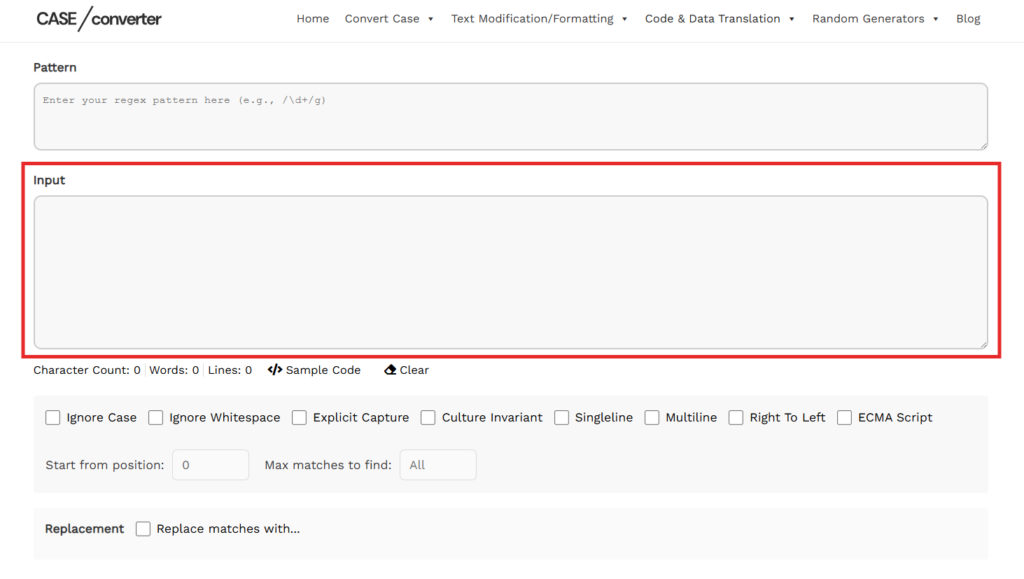
In the large Input box, add the text you want to test.
You can:
- Paste raw data
- Test emails, URLs, phone numbers
- Use sample text
- Clear instantly using the Clear button
As an advanced online regex tester, our tool processes your pattern against this input and finds matches in real time.
Step 3: Configure Regex Options (Important)
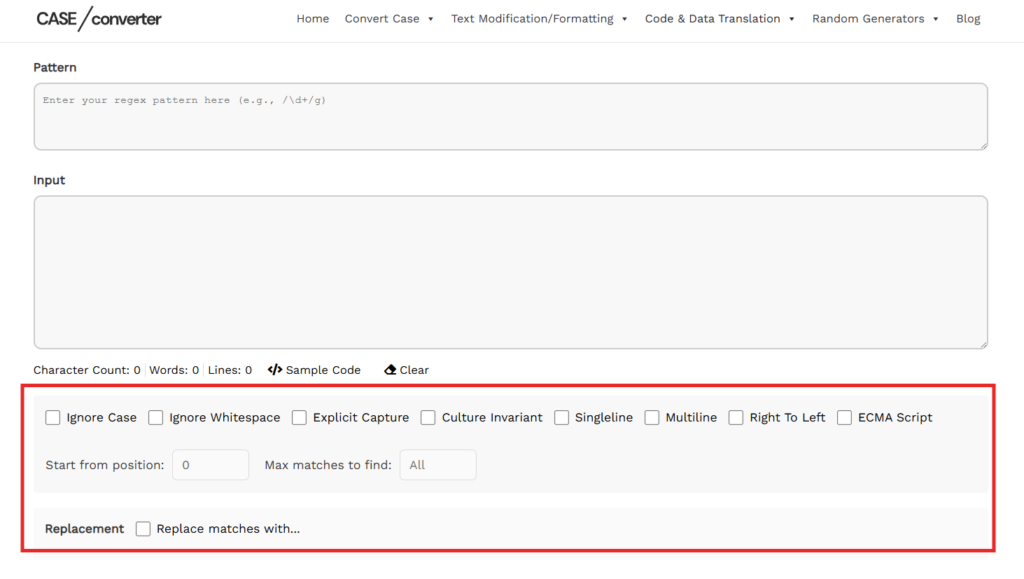
This is where your tool becomes more powerful than basic testers.
You can enable or disable:
- Ignore Case – Match letters regardless of uppercase/lowercase
- Ignore Whitespace – Ignore spacing in pattern
- Explicit Capture – Only capture named or explicit groups
- Culture Invariant – Ignore cultural formatting differences
- Singleline – Dot matches newline characters
- Multiline – ^ and $ match start/end of lines
- Right To Left – Match text from right side
- ECMA Script – Apply ECMAScript behavior
You can also control:
- Start from position – Begin matching from a specific index
- Max matches to find – Limit how many matches are returned
This level of control makes our tool more than just a simple regex match tester.
Step 4: Review Results in Detail
Our regex tester provides multiple result views so you can fully understand how your pattern behaves. Each tab serves a different purpose:
Result Tab | What It Shows | Why It’s Useful |
Regex Info Tab |
| Helps you quickly confirm that your pattern and settings are applied correctly before reviewing matches. |
Table Tab |
| Ideal for debugging. You can verify where each match occurs and ensure your pattern isn’t matching unintended text. |
Context Tab | Shows each match within the surrounding text for better readability. | Makes it easier to understand how the match fits within your input, especially useful for long text blocks. |
Split List Tab | Displays the text split based on your regex pattern when used as a separator. | Useful when testing patterns designed for splitting strings into multiple parts. |
Key Features of Our Regex Tester
Our regex tester is designed to give you more control, better clarity, and faster testing compared to basic tools. Here’s what makes it useful:
Real-Time Match Detection
As soon as you enter your pattern and input text, our online regex tester instantly processes and displays matches. No page reload, no delays, just immediate feedback so you can adjust your pattern quickly.
Advanced Regex Options & Flags
Unlike a basic regex match tester, our tool allows you to control:
- Ignore Case
- Multiline
- Singleline
- Explicit Capture
- Culture Invariant
- Right To Left
- ECMA Script
You can also set:
- Start position
- Maximum matches to return
This gives you full flexibility when testing complex patterns.
Match Position & Detailed Breakdown
Our regex pattern tester doesn’t just highlight matches, it shows:
- Exact match position
- Match length
- Total matches found
- Structured table view
This helps you debug patterns more accurately and avoid incorrect matches.
Built-in Replace Testing
Need to modify text? Our tool also works as a regex replace tester, allowing you to preview replacements safely before applying them in your project.
This is useful for:
- Cleaning data
- Removing unwanted characters
- Formatting structured text
- Updating repeated values
Multiple Result Views
With tabs like:
- Regex Info
- Table
- Context
- Split List
You can analyze your pattern from different perspectives, whether you’re validating matches or splitting text into parts.
Simple, No-Login Access
Our online regex tester works directly in your browser. No installation. No signup. Just open the page and start testing.
Common Regex Examples to Try in Our Regex Tester
If you’re not sure where to start, here are some common patterns you can test using our regex tester. Just copy a pattern, paste it into the tool, and see how it works in real time.
Use Case | Regex Pattern | What It Matches |
Email Validation | [a-zA-Z0-9._%+-]+@[a-zA-Z0-9.-]+\.[a-zA-Z]{2,} | Matches most standard email formats |
Numbers Only | \d+ | Matches one or more digits |
Words Only | [a-zA-Z]+ | Matches alphabetic words |
Phone Number (Simple) | \d{10} | Matches a 10-digit number |
URL Matching | https?:\/\/[^\s]+ | Matches basic HTTP/HTTPS URLs |
Remove Extra Spaces | \s+ | Matches multiple whitespace characters |
Extract Hashtags | #\w+ | Matches hashtags like #example |
Strong Password (Basic) | ^(?=.*[A-Za-z])(?=.*\d)[A-Za-z\d]{8,}$ | At least 8 characters, letters and numbers |
How to Test These Patterns
- Copy any pattern from the table above.
- Paste it into our online regex tester.
- Add sample input text.
- Enable flags like Ignore Case or Multiline if needed.
- Review matches in the Table or Context tabs.
You can also use our tool as a regex replace tester to modify matched text and preview changes instantly.
Regex Flags Explained (Simple Guide)
When using our regex tester, flags control how your pattern behaves. A small change in flags can completely change your results, so understanding them is important.
Here’s what each option in our online regex tester does:
Flag / Option | What It Does | When to Use It |
Ignore Case | Makes matching case-insensitive (A = a). | Use when text may contain mixed uppercase and lowercase letters. |
Ignore Whitespace | Ignores spaces inside your pattern. | Useful when writing complex patterns with spacing for readability. |
Explicit Capture | Captures only explicitly defined groups. | Helps avoid unnecessary automatic captures. |
Culture Invariant | Ignores cultural formatting rules. | Useful when working with consistent data formats. |
Singleline | Allows dot (.) to match newline characters. | Use when matching across multiple lines as a single block. |
Multiline | Makes ^ and $ match start and end of each line. | Helpful when testing multi-line input. |
Right To Left | Searches text from right to left. | Useful for advanced pattern logic. |
ECMA Script | Applies ECMAScript-compatible behavior. | Use when matching JavaScript-style patterns. |
Why Flags Matter
If your pattern isn’t matching correctly, the issue is often related to flags, not the regex itself.
Our regex pattern tester allows you to toggle these options easily, so you can test different combinations and instantly see how results change.
This makes our tool more flexible than a basic regex match tester, especially when debugging complex patterns.
What Is Regex Used For?
Regular expressions (regex) are used to find, check, extract, and modify specific patterns inside text. Instead of manually scanning data, regex allows you to define rules that automatically match what you’re looking for. Here are the most common uses:
- Form Validation – Check emails, phone numbers, usernames, and password formats.
- Data Extraction – Pull specific values like URLs, hashtags, IDs, or prices from large text.
- Search & Matching – Locate exact words, numbers, or custom patterns quickly.
- Search and Replace – Clean, reformat, or modify repeated text efficiently.
- Text Splitting – Break long strings into smaller parts using pattern-based separators.
- Log Analysis – Filter errors, timestamps, or structured data from logs.
You can test all of these easily using our regex tester before applying them in real projects.
Frequently Asked Questions (FAQs)
1. What is a regex tester?
A regex tester is a tool that lets you test regular expression patterns against sample text. It shows which parts of your text match the pattern and helps you confirm that your regex works correctly before using it in code.
2. How do I use an online regex tester?
To use an online regex tester, enter your regex pattern, paste your test text, select any required flags, and review the matches shown in the results section. Our tool instantly highlights matches and shows their positions.
3. Can I test regex replace patterns here?
Yes. Our tool also works as a regex replace tester. You can enter a replacement value and preview how your text will look after applying the regex before using it in your actual project.
4. Why is my regex not matching anything?
If your pattern isn’t matching, check your flags (like Ignore Case or Multiline), special characters, or escaping rules. A small syntax mistake can completely change how a regex behaves.
5. Does this regex tester show match positions?
Yes. Our regex match tester displays match number, matched value, and exact position in the input text. This helps you debug and fine-tune your pattern more accurately.
6. Is this regex tester free and safe to use?
Yes. Our online regex tester is free to use and runs directly in your browser. Your input and patterns are not stored or shared.