

Testing HTML code should be fast, simple, and accessible to everyone. Whether you are building a landing page, fixing layout issues, or learning basic HTML structure, using a free online HTML viewer allows you to preview your code instantly without installing any software.
An online HTML viewer works directly in your browser. You can paste your HTML code and immediately see how it renders. Many modern tools also support CSS styling and basic script testing, making them useful for developers, designers, students, and QA testers.
Trusted web development resources consistently recommend real-time preview environments because they reduce errors, speed up debugging, and improve learning efficiency.
The biggest advantage of using a free online HTML viewer for code testing is convenience. You do not need complex IDE setups or server configurations. Instead, you can:
- Instantly preview HTML output
- Test layout and structure changes in real time
- Clean and format messy markup
- Validate snippets before deployment
- Share quick test results without setup
While there are several online HTML viewers available, not all of them offer the same performance, simplicity, or feature set. Some focus on advanced formatting tools, while others prioritize lightweight, distraction-free testing.
In this guide, we compare the 10 best free online HTML viewers for code testing, including tools designed for quick previews, formatting, responsive testing, and developer workflows. We will also highlight what makes each option useful so you can choose the right viewer based on your needs.
1. CASE CONVERTER TOOLS HTML Viewer
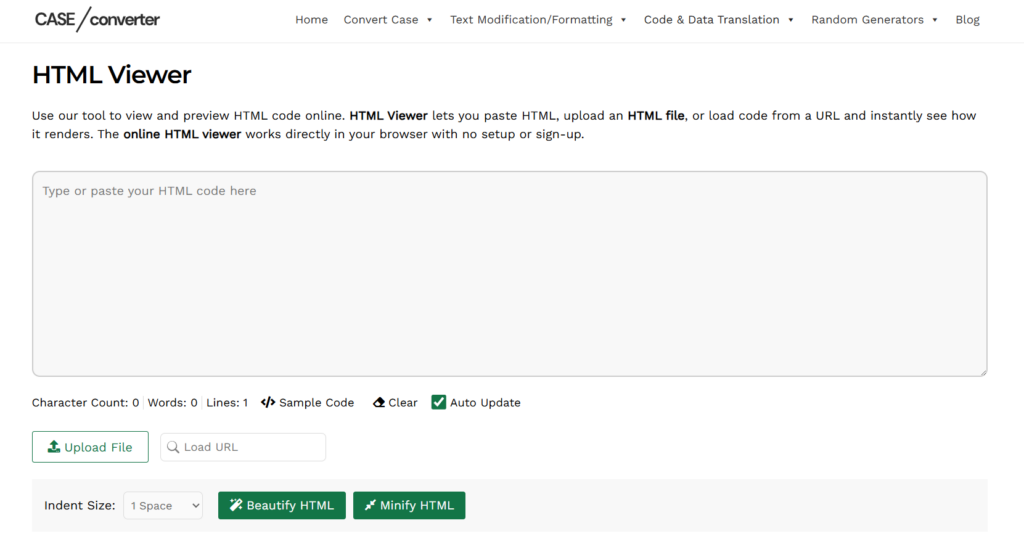
CASE CONVERTER TOOLS HTML Viewer is a clean and efficient free online HTML viewer designed for quick code testing and formatting. The interface is simple, with a large input editor at the top and a clearly separated output panel below. Users can paste HTML code, upload a file, or even load content from a URL for instant preview.
What makes this tool stand out is its balance between simplicity and practical features. It includes formatting and minification options, making it useful not only for previewing HTML but also for cleaning and optimizing markup before deployment.
Key Features
- Live preview with auto update option
- Upload HTML file support
- Load HTML directly from a URL
- Adjustable indentation settings
- Beautify HTML formatting tool
- Minify HTML option
Performance and Practical Testing Experience
In testing, the tool renders HTML output quickly and updates changes in real time when auto update is enabled. The beautify feature correctly restructures messy code with flexible indentation control, while the minify option compresses markup efficiently. Overall, it performs smoothly in the browser and works well for quick structure validation, formatting cleanup, and lightweight HTML code testing.
2. HTML ONLINE VIEWER
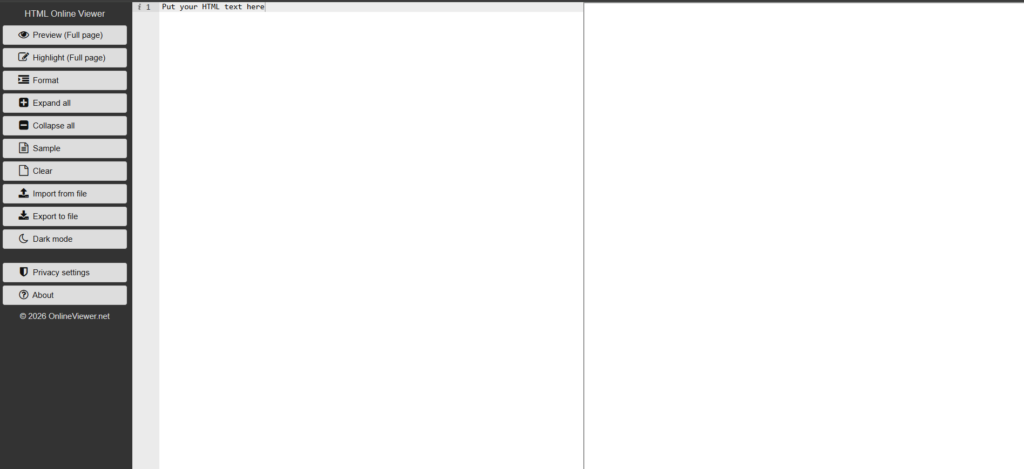
HTML ONLINE VIEWER is a fast and lightweight free online HTML viewer designed for instant code preview and formatting. The interface follows a clean two panel layout where you paste HTML on one side and see the rendered output on the other. It also offers a full page preview option, which allows you to open the rendered HTML in a separate tab for better visualization and layout inspection.
The tool focuses on readability and structured code analysis. With built in formatting, expand and collapse controls, and syntax highlighting, it is especially useful when reviewing large HTML files or debugging nested elements.
Key Features
- Live preview within the same workspace
- Full page preview mode
- Highlight full page source view
- Format option to beautify HTML
- Expand all and Collapse all controls
- Import from file and Export to file options
Performance and Practical Testing Experience
In practical testing, HTML ONLINE VIEWER performs smoothly with quick rendering of pasted HTML. The format option restructures messy markup clearly, and the expand or collapse controls make it easier to analyze deeply nested elements. The full page preview is particularly helpful when testing complete layouts instead of small snippets. Overall, it works well for structured HTML inspection and quick browser based testing.
3. CODE BEAUTIFY
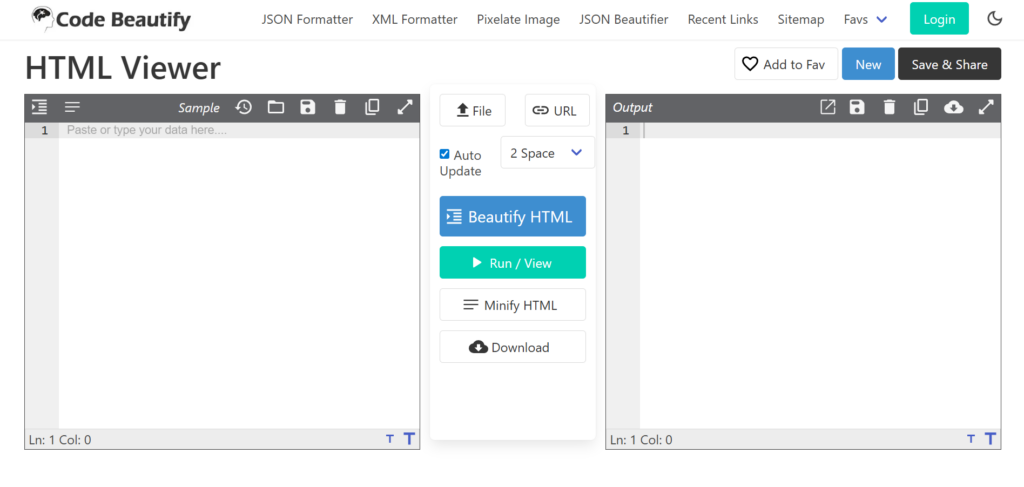
CODE BEAUTIFY offers a feature rich free online HTML viewer designed for both previewing and formatting HTML code. The interface uses a structured three column layout with an input editor on the left, tool controls in the center, and the rendered output on the right. This makes it easy to edit, beautify, and instantly test HTML in one workspace.
Unlike very basic viewers, CODE BEAUTIFY combines viewing, formatting, minifying, and downloading options. It is built for users who want more control over their HTML before deployment, especially when working with larger or unstructured markup.
Key Features
- Live preview with Auto Update option
- Beautify HTML with adjustable indentation
- Run or View button for controlled rendering
- Minify HTML option
- Upload via file or URL
- Download processed HTML
Performance and Practical Testing Experience
In practical testing, CODE BEAUTIFY handles large HTML snippets smoothly and renders output accurately in the preview panel. The beautify feature restructures messy markup clearly, while the minify option efficiently compresses the code. The dedicated Run or View control gives users more control over when the output refreshes, which is useful when testing bigger files. Overall, it performs reliably for structured HTML formatting and detailed code testing.
4. STATIC.APP
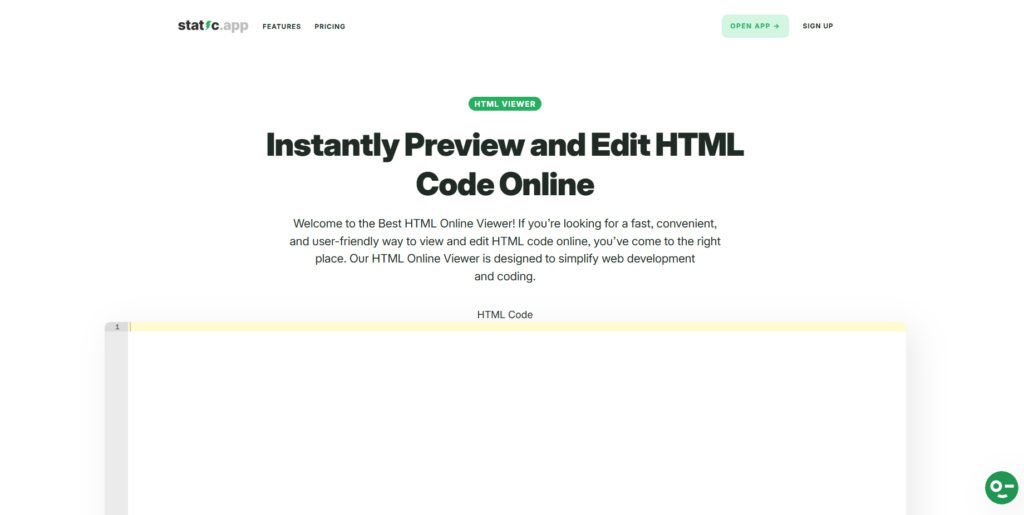
STATIC.APP offers a modern and minimal free online HTML viewer built for instant preview and quick editing. The landing page clearly positions it as a fast and user friendly solution to preview and edit HTML code online. The interface is clean, with a large HTML code editor section and a straightforward preview workflow that makes testing simple and distraction free.
Unlike heavier tool suites, STATIC.APP focuses on speed and usability. It is designed for users who want to quickly paste HTML code, make small adjustments, and instantly see how it renders without navigating through complex controls.
Key Features
- Instant HTML preview and editing
- Clean and modern interface
- Large editor area for full page code
- Fast rendering workflow
- Simple and beginner friendly layout
Performance and Practical Testing Experience
In practical testing, STATIC.APP feels lightweight and responsive. The editor loads quickly and handles standard HTML structures smoothly. It works well for previewing landing page sections, email templates, and basic layouts. Because the interface is minimal, it reduces distractions and allows users to focus purely on structure and visual output. It performs reliably for quick HTML code testing and visual validation tasks.
5. ELEMENTOR
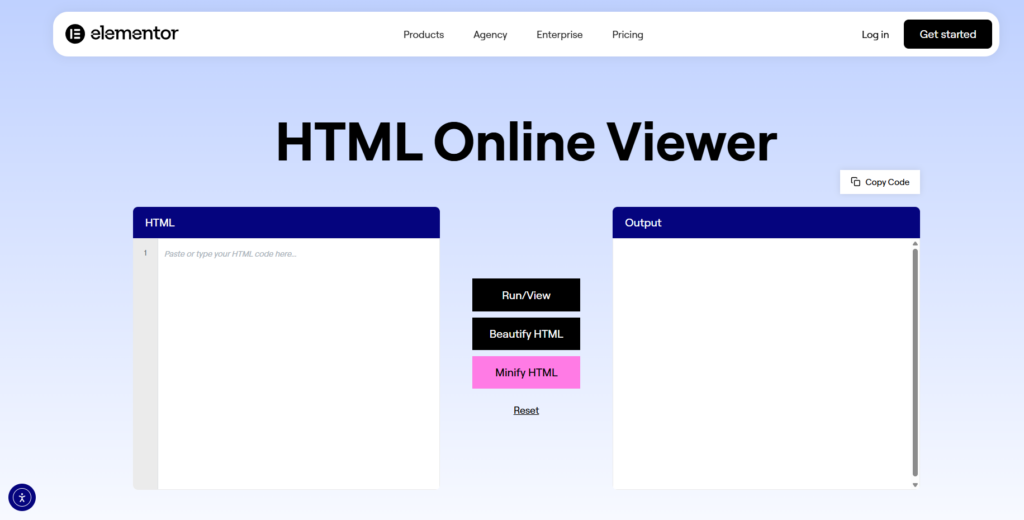
ELEMENTOR offers a clean and beginner friendly free online HTML viewer designed for quick preview and light editing. The interface follows a simple split layout with an HTML input panel on the left and a rendered output panel on the right. In the center, clearly visible action buttons such as Run or View, Beautify HTML, and Minify HTML make the workflow easy to understand.
The tool focuses on accessibility and ease of use rather than advanced developer controls. It is ideal for users who want to quickly test HTML snippets, format code, or preview layouts without navigating through complex settings.
Key Features
- Simple split screen editor and preview layout
- Run or View button for manual rendering
- Beautify HTML formatting option
- Minify HTML compression tool
- Reset option to clear workspace
- Clean and distraction free interface
Performance and Practical Testing Experience
In practical testing, ELEMENTOR renders HTML output smoothly after running the code. The beautify feature restructures messy markup into readable format, while the minify option compresses it effectively. Because rendering is manual through the Run or View button, users have more control over when the preview updates. It performs reliably for quick HTML snippet testing and layout verification.
6. CODESHACK
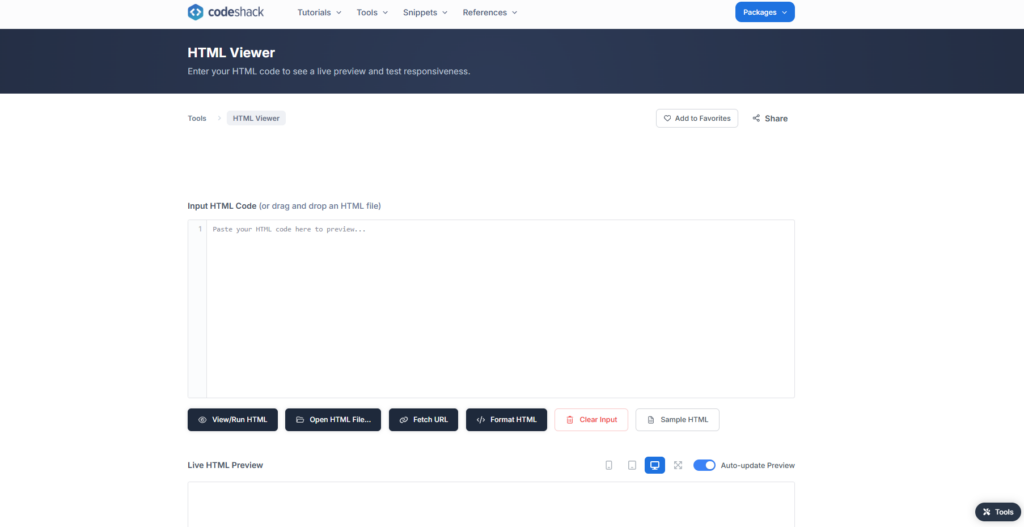
CODESHACK provides a clean and developer friendly free online HTML viewer built for quick testing and responsive preview. The interface includes a large input editor where you can paste HTML code or drag and drop a file. Below the editor, clearly labeled action buttons such as View or Run HTML, Open HTML File, Fetch URL, and Format HTML make the workflow structured and easy to follow.
The tool also includes a live HTML preview section with device view controls and an auto update preview toggle. This makes it especially useful for users who want to test how HTML renders across different screen sizes.
Key Features
- View or Run HTML for controlled rendering
- Open HTML file or drag and drop support
- Fetch HTML directly from a URL
- Format HTML option for clean structure
- Auto update preview toggle
- Responsive device preview controls
Performance and Practical Testing Experience
In practical testing, CODESHACK renders HTML quickly and handles larger snippets smoothly. The auto update preview option makes real time testing convenient, while the device icons allow quick switching between screen views for layout checks. The fetch URL feature is particularly useful when inspecting live pages. Overall, it performs reliably for structured HTML testing and responsive preview validation.
7. JSONFORMATTER
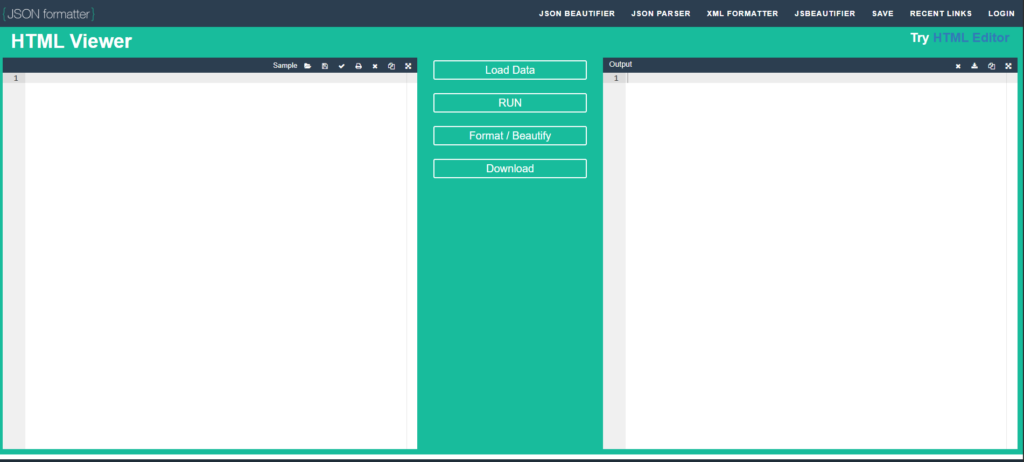
JSONFORMATTER offers a structured and practical free online HTML viewer designed for quick preview and formatting tasks. The interface follows a three panel layout with the HTML editor on the left, action buttons in the center, and the rendered output on the right. This layout makes it easy to edit code, run it, and review the results without switching tabs.
The tool is part of a broader utility suite, which means it focuses on clean formatting and reliable output rather than advanced development features. It works well for users who want a straightforward environment to test and clean HTML snippets.
Key Features
- Load data option for importing HTML
- Run button for controlled preview
- Format or Beautify option
- Download processed HTML
- Clear and structured split layout
- Quick sample loading option
Performance and Practical Testing Experience
In testing, JSONFORMATTER renders HTML output accurately after clicking Run. The Format or Beautify option reorganizes unstructured markup into a readable format, making it easier to debug nested elements. The interface remains stable even with moderately large HTML blocks. Overall, it performs reliably for quick HTML structure testing and formatting validation within a browser based workspace.
8. HTMLEDIT SQUAREFREE
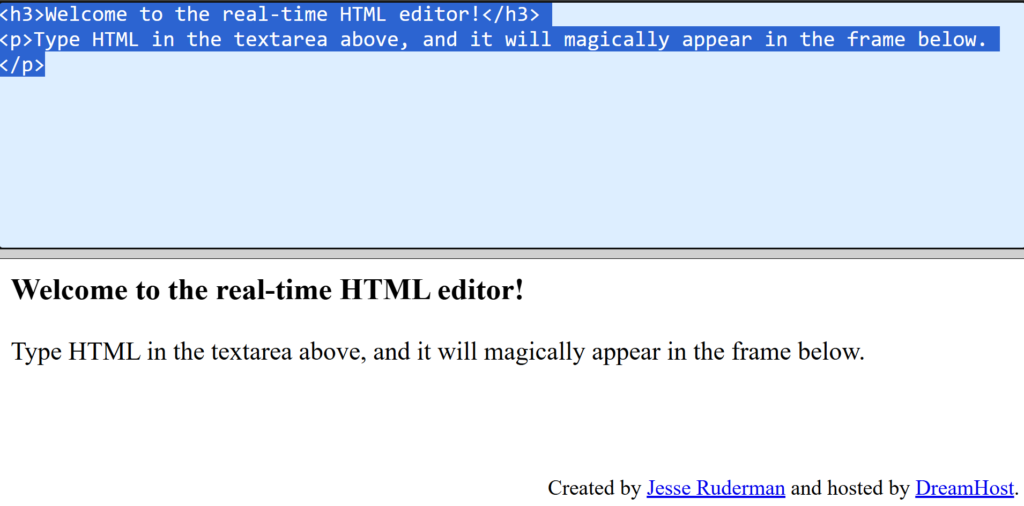
HTMLEDIT SQUAREFREE is a lightweight and minimalist free online HTML viewer that focuses on real time rendering. The interface is extremely simple, with a plain text area at the top where you type or paste HTML code and a live preview frame directly below it. As you edit the code, the output updates instantly without requiring a separate run button.
The tool does not include advanced formatting or file upload features. Instead, it is designed for quick experiments and learning, making it especially useful for beginners who want to understand how HTML elements render immediately.
Key Features
- Real time HTML preview
- Simple text area editor
- Instant output without manual run
- No login or setup required
- Lightweight and fast loading
- Beginner friendly layout
Performance and Practical Testing Experience
In testing, HTMLEDIT SQUAREFREE responds instantly to changes in the editor. The live rendering works smoothly for basic HTML elements such as headings, paragraphs, and lists. Because the interface is minimal and free from extra controls, it loads quickly and runs efficiently even on slower devices. It performs best for simple HTML structure testing and quick markup experiments.
9. TIINY HOST
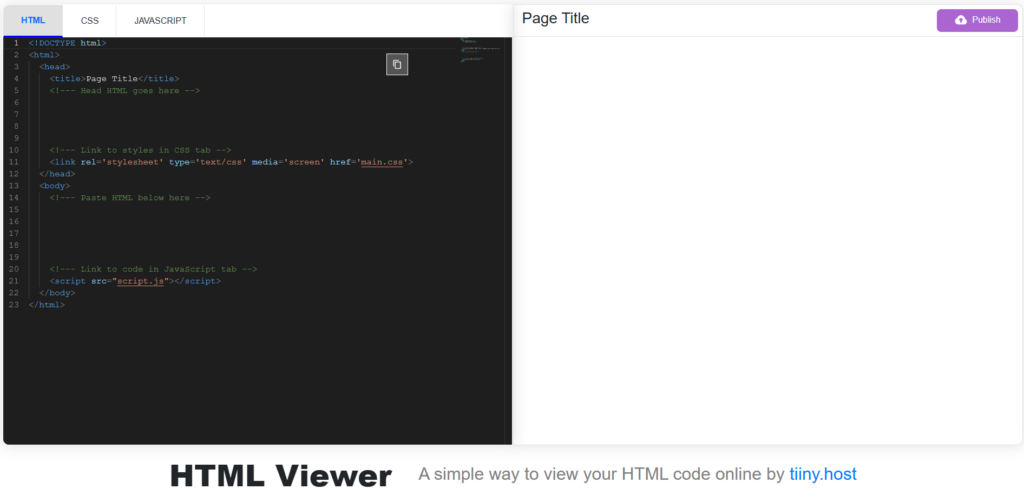
TIINY HOST provides a more advanced free online HTML viewer that feels closer to a lightweight online IDE. The interface includes separate tabs for HTML, CSS, and JavaScript, along with a live preview panel on the right. This structure allows users to test complete front end projects rather than just basic HTML snippets.
Unlike simple paste and preview tools, TIINY HOST is designed for users who want to experiment with structured page layouts, linked stylesheets, and scripts in one workspace. The clean dark themed editor and organized layout make it suitable for both learners and developers.
Key Features
- Separate tabs for HTML, CSS, and JavaScript
- Live preview panel
- Pre structured HTML template
- Copy and publish options
- Clean dark editor interface
- Full page layout testing support
Performance and Practical Testing Experience
In testing, TIINY HOST handles structured HTML documents smoothly and allows combined HTML, CSS, and JavaScript testing without switching tools. The preview updates reliably and displays full page layouts clearly. Because it supports multiple code layers, it works well for testing landing pages, UI components, and styled layouts. Overall, it performs best for more complete front end experimentation rather than simple snippet viewing.
10. BETTERBUGS
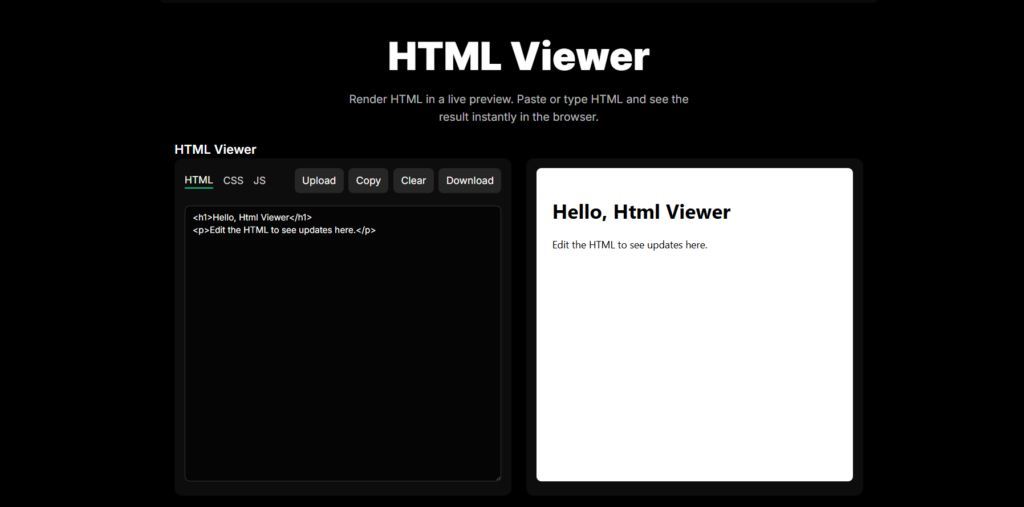
BETTERBUGS offers a modern and developer oriented free online HTML viewer with support for HTML, CSS, and JavaScript editing in a single workspace. The interface follows a dark themed layout with tab based code sections on the left and a live preview panel on the right. This structure makes it easy to test styled layouts and interactive elements without switching between tools.
Unlike basic paste and preview utilities, BETTERBUGS focuses on providing a structured development environment. With options to upload, copy, clear, and download code, it supports both quick testing and lightweight front end experimentation.
Key Features
- Separate tabs for HTML, CSS, and JS
- Live preview rendering panel
- Upload HTML files
- Copy and Download options
- Clear editor function
- Dark themed developer interface
Performance and Practical Testing Experience
In testing, BETTERBUGS renders HTML output smoothly and updates changes reliably. The ability to test HTML alongside CSS and JavaScript makes it suitable for validating full layout structures and simple interactive components. The interface remains stable even with larger snippets, and the preview accurately reflects styling changes. Overall, it performs well for developers who need more than just a basic HTML viewer.
How to Choose the Best Free Online HTML Viewer
After reviewing these tools, it is clear that not all free online HTML viewers offer the same experience. Some focus on simplicity and quick preview, while others provide formatting, responsive testing, or even CSS and JavaScript support. Choosing the right one depends on what you actually need.
Here are the key factors to consider before selecting an online HTML viewer for code testing:
1. Live Preview Capability
A good HTML viewer should render output instantly or with a simple run button. Real time preview helps you catch layout issues and missing tags quickly.
2. Formatting and Minify Options
If you often work with messy or copied code, a built in beautify or minify feature is very useful. It improves readability and prepares code for production.
3. File and URL Support
Some tools allow you to upload HTML files or fetch code from a live URL. This is helpful when testing complete web pages instead of small snippets.
4. CSS and JavaScript Support
Basic viewers only render HTML. More advanced tools allow testing of CSS styling and JavaScript functionality in the same workspace.
5. Ease of Use
A clean interface saves time. Beginners may prefer simple paste and preview tools, while developers might choose multi tab editors.
6. Performance and Stability
The tool should load quickly and handle larger HTML files without freezing or slowing down.
Ultimately, the best free online HTML viewer for code testing is the one that matches your workflow. If you need quick structure validation, a lightweight viewer works well. If you are testing complete layouts with styling and scripts, choose a tool that supports full front end preview.
Comparison Table of the Best Free Online HTML Viewers
To make your decision easier, here is a quick comparison of the 10 best free online HTML viewers for code testing. This table highlights the most important features that matter when testing HTML online.
| Tool | Live Preview | Beautify Option | Minify Option | File Upload | CSS JS Support | Best For |
| CASE CONVERTER TOOLS | Yes | Yes | Yes | Yes | No | Clean formatting and quick testing |
| HTML ONLINE VIEWER | Yes | Yes | No | Yes | No | Structured code inspection |
| CODE BEAUTIFY | Yes | Yes | Yes | Yes | Limited | Detailed formatting control |
| STATIC.APP | Yes | No | No | No | No | Simple visual preview |
| ELEMENTOR | Manual Run | Yes | Yes | No | No | Beginner friendly testing |
| CODESHACK | Yes | Yes | No | Yes | Limited | Responsive preview testing |
| JSONFORMATTER | Manual Run | Yes | No | Yes | No | Quick formatting and testing |
| HTMLEDIT SQUAREFREE | Yes | No | No | No | No | Real time learning and experiments |
| TIINY HOST | Yes | No | No | No | Yes | Full front end testing |
| BETTERBUGS | Yes | No | No | Yes | Yes | Developer focused preview |
What This Comparison Shows
- If you need simple and fast preview, lightweight tools like HTMLEDIT SQUAREFREE or STATIC.APP work well.
- If you want formatting and cleanup tools, CASE CONVERTER TOOLS and CODE BEAUTIFY offer more control.
- For responsive testing and layout preview, CODESHACK stands out.
- If you need HTML with CSS and JavaScript testing, TIINY HOST and BETTERBUGS provide a more complete workspace.
This breakdown helps you quickly identify which free online HTML viewer fits your specific code testing needs.
Frequently Asked Questions
What is a free online HTML viewer?
A free online HTML viewer is a browser based tool that lets you paste or upload HTML code and instantly see how it renders. It does not require installation and works directly in your web browser. Some viewers also include formatting, minifying, and live preview options for easier testing.
Can I test CSS and JavaScript in an HTML viewer?
Basic HTML viewers only render HTML structure. However, some advanced tools support CSS and JavaScript in separate tabs or combined workspaces. If you need full layout and interactivity testing, choose a viewer that supports all three.
Is it safe to use online HTML viewers?
Most modern HTML viewers process code directly in your browser without storing it on a server. This makes them generally safe for testing standard markup. However, avoid uploading sensitive or private production code unless you trust the platform.
Do I need to install any software?
No. All the tools listed in this article are free online HTML viewers that run in your browser. You simply paste your code and preview the output instantly.
Which HTML viewer is best for beginners?
If you are just learning HTML, choose a simple tool with real time preview and a clean interface. Lightweight viewers are easier to understand and help you focus on how HTML tags render visually.