
ROT13 Encoder/Decoder
Our tool makes it easy to encode or decode ROT13 text instantly. Just paste your text, choose the ROT mode, and get results right away. This ROT13 decoder online works both ways, use it as a ROT13 encoder, ROT13 translator, or ROT13 cipher decoder with no setup or sign-up needed.
Whether you’re hiding spoilers, solving puzzles, or learning how the ROT13 cipher works, our tool handles it all. It also supports ROT5, ROT18, and Custom ROT shifts, so you can rotate letters and numbers exactly the way you need.
What Is ROT13?
ROT13 stands for “Rotate by 13.” It is a special case of the Caesar cipher, one of the oldest known encryption techniques in history. The Caesar cipher works by shifting letters forward in the alphabet by a fixed number. In the case of ROT13, that number is 13.
Here’s how it works:
- A → N
- B → O
- C → P
- H → U
- M → Z
Because the English alphabet has 26 letters, and 13 is exactly half of 26, ROT13 has a unique property: encoding and decoding are the same operation. If you apply ROT13 once, you encode the message. If you apply it again, you decode it back to the original text.
For example:
- Original text: Hello World
- After applying ROT13: Uryyb Jbeyq
- Apply ROT13 again: Hello World
This self-inverse behavior makes ROT13 different from most classical substitution methods.
How to Use the ROT13 Encoder/Decoder
Our tool lets you encode or decode text instantly using different ROT-based encryption modes. Follow these three simple steps to convert your text accurately.
Step 1: Paste Your Text
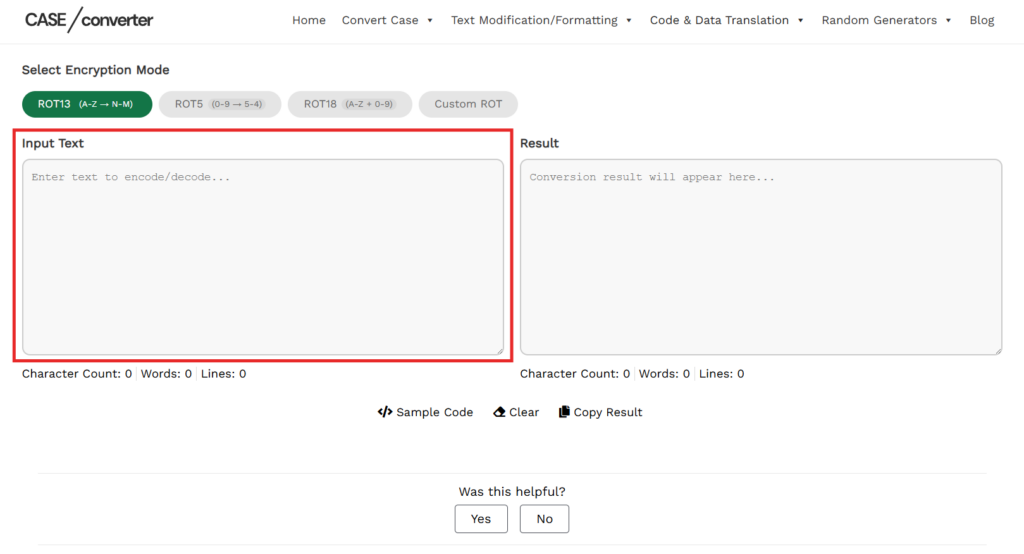
Paste or type your text into the Input box. You can enter plain text, sentences, mixed characters, or numbers. The tool accepts uppercase and lowercase letters, symbols, and spaces without any restrictions. As you enter text, our tool automatically shows the character, word, and line count, giving you a clear overview of your input before conversion.
Step 2: Choose the Encryption Mode
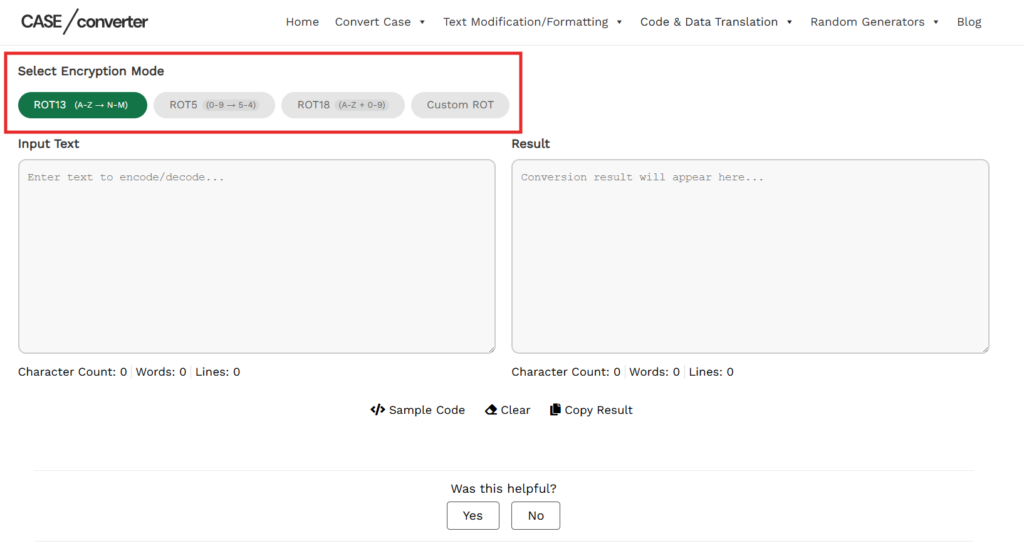
Select the encryption mode based on how you want the text to be rotated:
- ROT13: Rotates each letter by 13 positions in the alphabet. Letters are converted, but numbers and symbols remain unchanged. This is the most common ROT cipher and works the same for encoding and decoding.
- ROT5: Rotates numeric characters only. Digits from 0 to 9 are shifted by 5 positions, while letters stay the same. This mode is useful when working with numbers.
- ROT18: Combines ROT13 and ROT5. Letters are rotated by 13 positions and numbers by 5, making it ideal for text that contains both letters and digits.
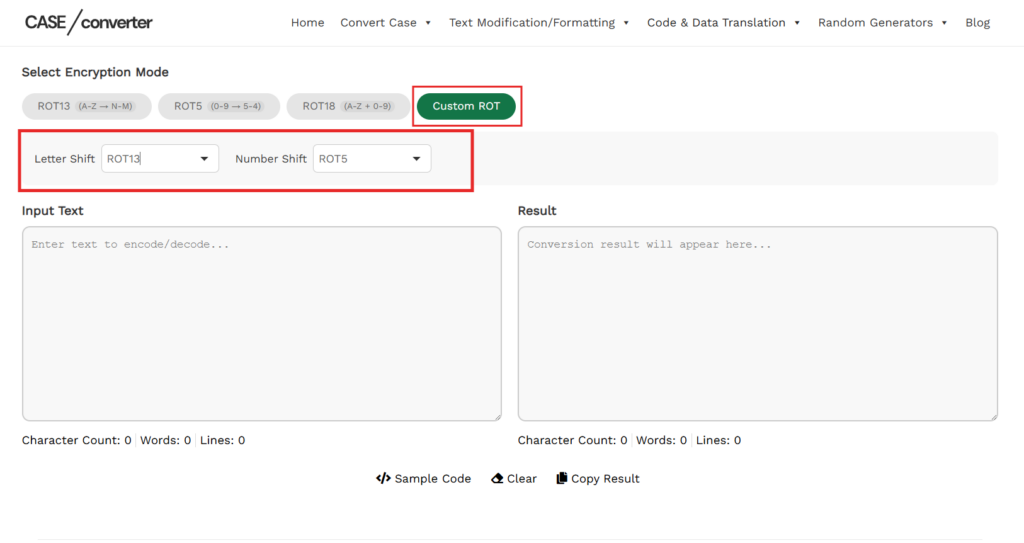
- Custom ROT: Allows you to manually select the rotation value. You can choose a letter shift (ROT1–ROT25) and a number shift (ROT1–ROT9) using the dropdown menus. This option is useful for testing different Caesar cipher variations or creating custom text transformations.
Step 3: Get the Output Instantly
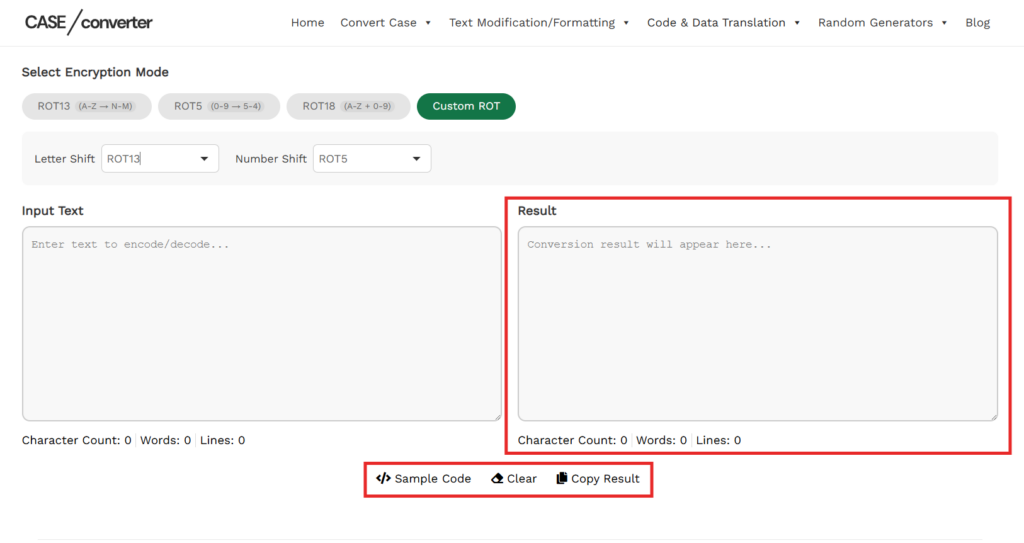
Once the encryption mode is selected, the converted text appears immediately in the Output box. You can copy the result with one click, clear the input to start over, or reuse the output as new input for another conversion.
ROT13 Encoder/Decoder Features
Our tool is built to give you more control than a basic ROT13 decoder. Whether you want standard ROT13 encryption or a fully customized letter and number shift, everything works instantly in one interface.
ROT13 (Standard Letter Rotation)
Shifts letters by 13 positions in the alphabet. Numbers and symbols remain unchanged. Works as both encoder and decoder (same operation).
Example: Original text: Hello World | After applying ROT13: Uryyb Jbeyq
ROT5 (Number Rotation)
- Rotates digits (0–9) by 5 positions.
- Letters remain unchanged.
- Useful for numeric obfuscation.
Example Original text: 12345 | After applying ROT5: 67890
ROT18 (Letters + Numbers)
- Combines ROT13 for letters.
- Combines ROT5 for numbers.
- Ideal for mixed alphanumeric text.
Example: Original text: Test123 | After applying ROT18: Grfg678
Custom ROT (Advanced Mode)
This is where our tool stands out. When you select Custom ROT, two independent controls appear:
Letter Shift (ROT1–ROT25) Reference Table
Custom ROT lets you control how much each letter and number shifts. Instead of using a fixed rotation like ROT13, you choose the shift value yourself.
How Letter Rotation Works
Each letter moves forward in the alphabet based on the selected ROT value.
- ROT1: A becomes B
- ROT2: A becomes C
- ROT3: A becomes D
As the number increases, the letters continue moving forward. When the end of the alphabet is reached, it wraps around back to A.
Example: ROT5 → Hello → Mjqqt
How Number Rotation Works
Numbers rotate in the same way, using digits from 0 to 9.
- ROT1: 1 becomes 2
- ROT2: 1 becomes 3
- ROT3: 1 becomes 4
After 9, numbers wrap around back to 0.
Example: ROT7 → 123 → 890
Common Use Cases for the ROT13 Encoder/Decoder
ROT-based encryption may be simple, but it’s still widely used for practical and educational purposes. Our tool supports multiple use cases, from casual text hiding to learning classical cryptography concepts.
1. Hiding Spoilers and Sensitive Text
ROT13 is commonly used to hide spoilers, punchlines, or answers in online discussions. It keeps the text readable only for users who choose to decode it, without permanently encrypting the content.
Example: Spoiler → Fcbvyre
2. Solving Puzzles and Challenges
Many puzzle games, programming challenges, and online riddles use ROT13 or other ROT shifts. Our tool makes it easy to decode hidden clues or verify your answers instantly.
3. Learning Caesar Cipher and Cryptography Basics
ROT13 is a classic example of a Caesar cipher, making it ideal for students and beginners learning how substitution ciphers work. With Custom ROT, you can experiment with different shift values and see how text changes.
4. Working With Mixed Alphanumeric Data
When text includes both letters and numbers, ROT18 or Custom ROT is especially useful. You can rotate letters and digits together or control them separately using the letter shift and number shift options.
5. Developer Testing and Practice
Developers often use ROT-based transformations to test string manipulation logic or practice encoding and decoding techniques. The built-in Sample Code option helps demonstrate how ROT encryption works in real applications.
6. Light Text Obfuscation (Not Security)
ROT13 is not secure encryption, but it’s useful when you want to obscure text without protecting sensitive data. It’s quick, reversible, and easy to apply using our tool.
Frequently Asked Questions
What is ROT13?
ROT13 is a simple substitution cipher that shifts each letter in the alphabet by 13 positions. Because the alphabet has 26 letters, applying ROT13 twice returns the original text.
Is ROT13 encryption secure?
No. ROT13 is not secure encryption. It is only meant for light text obfuscation and should not be used for protecting sensitive information.
Can ROT13 be decoded?
Yes. ROT13 decoding works the same way as encoding. Applying ROT13 again converts the text back to its original form.
Does ROT13 change numbers?
No. Standard ROT13 only affects letters. Numbers remain unchanged. To rotate numbers, you can use ROT5, ROT18, or Custom ROT in our tool.
What is the difference between ROT13 and ROT18?
ROT13 rotates letters only, while ROT18 rotates both letters (ROT13) and numbers (ROT5). ROT18 is useful for mixed alphanumeric text.
What is Custom ROT?
Custom ROT lets you manually choose how many positions letters (ROT1–ROT25) and numbers (ROT1–ROT9) should rotate, giving you more control than standard ROT13.
Is this ROT13 encoder/decoder free?
Yes. Our ROT13 encoder and decoder is completely free to use and works directly in your browser.
Is my text stored when I use this tool?
No. All text conversion happens instantly in your browser. Your text is not stored or saved.