
Count Text Lines
Our free online line counter helps you check total, empty, and non-empty lines instantly. Paste your text, pick your option, and get a full breakdown, including words, characters, and more.
No login. No limits. Just a fast, accurate way to count number of lines in seconds. Perfect for writers, coders, and anyone who works with structured text.
Input Text
Counter Options
Find the number of all lines in the text, including empty lines.
Find the number of lines that have at least one character in them.
Find the number of empty lines.
Trimmer Options
Remove extra spaces and tabs from both ends of each line.
Remove extra spaces and tabs from both ends of each line.
Output
A-- A++Our online line counter is built to help you get results fast. Whether you’re a writer, a developer, or just need to check a block of text, our tool gives you the exact line count you need, instantly.
We created this tool to be clean, fast, and easy for everyone. No ads, no signups, just straight-up counting. You paste your text, and the line counter does the rest. It shows total lines, empty lines, and non-empty ones in one click.
Unlike bulky tools that overdo things, we kept ours simple but accurate. If your work involves text, code, or writing, this tool will save you time and effort.
Our count lines online tool works right in your browser. No downloads. No fuss. Just accurate line count when you need it.
What Is This Tool?
Our line counter is a fast, browser-based tool that shows the exact number of lines in any text. It doesn’t just count lines. It also breaks them into empty and non-empty lines.
Paste your content and the tool instantly runs a line count. It also tracks words, characters, paragraphs, and sentences all in one go.
If you’re working with long content, source code, or formatted text, this tool helps you count lines in text without messing around. It even gives the option to trim white spaces from each line before counting.
So, if you’re editing scripts, checking formatted content, or writing code, our string count online tool makes sure every line gets counted fast and clean.
Key Features of Our Line Counter Tool
The line counter is built to keep things simple and accurate. No fluff, no distractions, just what you need to get the job done.
Here’s what you get:
- Count lines in any text, with results shown instantly
- Shows full line count online including total, empty, and non-empty lines
- Built-in line checker to spot gaps, blank spaces, and extra breaks
- Real-time text count with words, characters, sentences, and paragraphs
- Trim tool to clean each line before counting
- Works on any browser or device
- No sign-up, no ads, no tracking
If you need to count lines in text fast and without errors, this tool gives you everything you need in one screen. Clean results. Clear data. Every time.
How To Use This Tool
Using our line counter is simple and fast. You don’t need to install anything or create an account. Just follow these steps to count lines in text with full accuracy.
Step 1: Paste Your Text
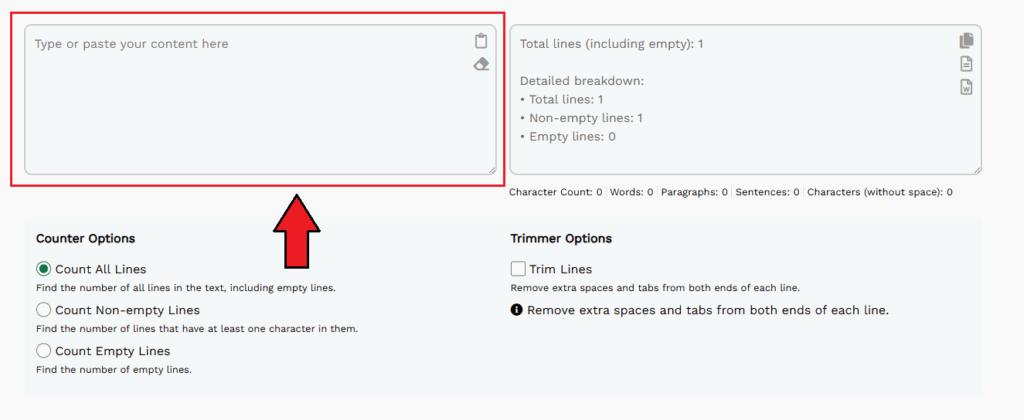
Start by typing or pasting your content into the left input box. You can add plain text, code, or any formatted block you need to check.
Step 2: Choose a Counter Option

Below the input box, pick how you want to count lines:
- Count All Lines: Includes both empty and non-empty lines.
- Count Non-empty Lines: Only includes lines with at least one character.
- Count Empty Lines: Counts blank lines only.
This lets you control exactly how you count number of lines depending on your task.
Step 3: Use the Trimmer (Optional)
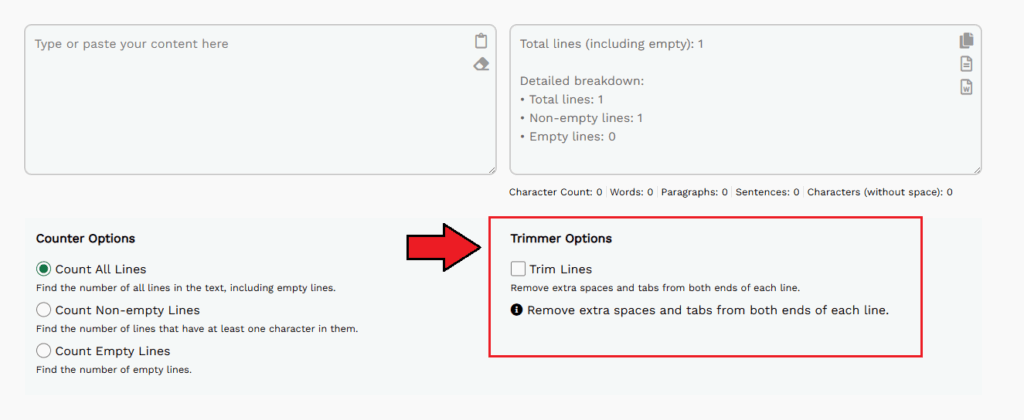
If your text has extra spaces or tabs at the beginning or end of lines, check the “Trim Lines” box. It will clean your input before counting.
Step 4: View the Results Instantly
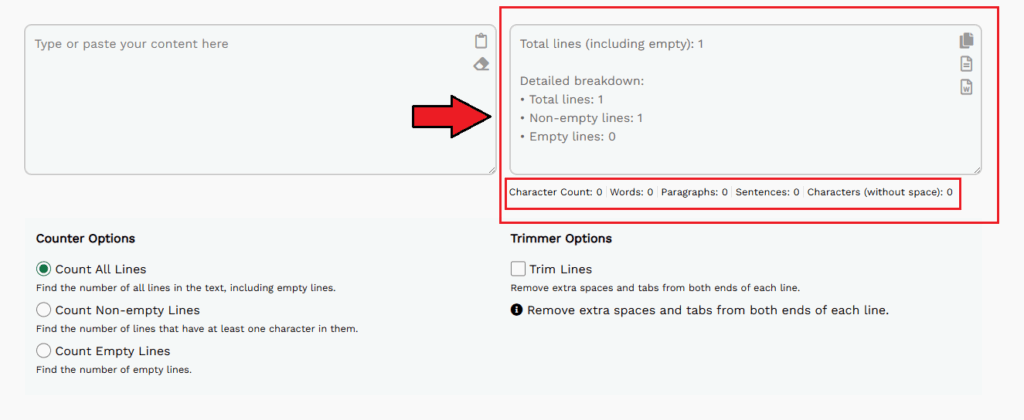
As soon as you paste the text, your results show on the right side. You’ll see:
- Total lines
- Empty lines
- Non-empty lines
- Character count
- Word count
- Sentence and paragraph count
It’s a complete breakdown, and you can count line online without any reload or clicks.
Why Our Line Counter Is Better Than Others
We didn’t build just another tool to count lines in text. We built one that works exactly how you need it.
Here’s why our line counter stands out:
- You get a full count number of lines including total, empty, and non-empty, all in real time
- The layout is simple. paste text, pick an option, and the output is ready
- It works as a live line checker, perfect for cleaning up drafts or reviewing code
- The trim option makes formatting clean and automatic
- No limits or login needed to count line online
- It works in any browser and handles large blocks of text with ease
Other tools try to do too much or hide the results behind ads. We focused on what matters, clear results, instant response, and user control.
FAQs
How do I count number of lines in my text?
Just paste your text into the box. The tool will instantly show the total, empty, and non-empty lines. You can also select how you want the tool to count lines using the counter options below the input box.
Can I count lines in text with spaces or tabs?
Yes. If your lines have extra spaces or tabs, use the “Trim Lines” checkbox. It will clean those before counting, so you get accurate line count online.
Is this tool only for writers?
Not at all. Our line counter is used by developers, students, editors, and content creators. Anyone who needs a quick line checker will find it useful.
Will this tool also give me word and character count?
Yes. Along with the count line online result, you’ll also see text count, characters (with and without spaces), word count, sentences, and paragraphs.
Is this tool free to use?
Yes. You can use our string count online tool anytime. No sign-up. No hidden fees.